

Starting an online store in 2026 is easier than building one from scratch was a decade ago. You can create a website, upload products, accept card payments, and manage customer orders without knowing how to code.
But a working website does not guarantee sales. You still need products people want, prices that cover your expenses, reliable delivery, and a reason for customers to choose your store instead of an established retailer.
If you are starting your first ecommerce business, begin with a small selection of products and choose the technology that fits your budget. You can add more features after customers begin placing orders.
Table of Contents
1. Choose What to Sell Before Building Your Online Store
Start with products you understand. Someone who regularly works with computers might sell laptop stands, cables, or desk accessories. A person familiar with a particular hobby could build a store around equipment and supplies for that activity.
Specializing also makes competition easier to evaluate. Instead of selling generic phone accessories, you could focus on protective cases and charging equipment for a specific type of device.
Before buying inventory, check competing stores, customer reviews, supplier prices, and shipping requirements.
How to Check Product Demand?
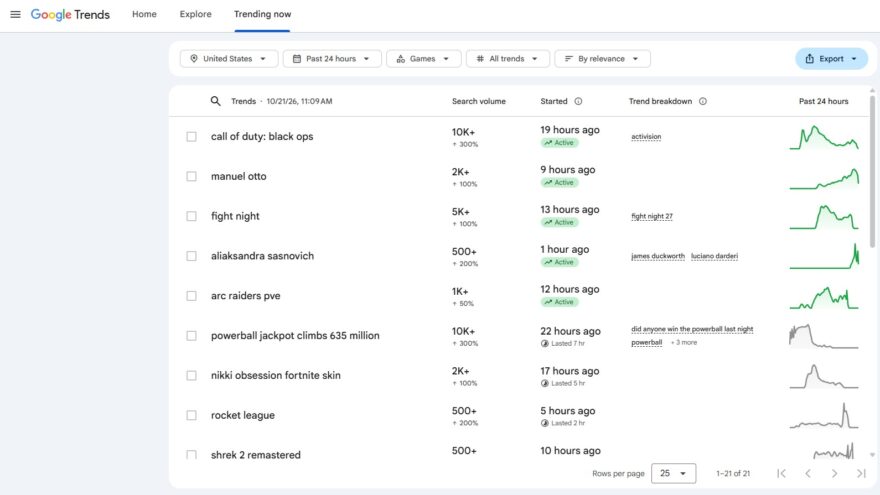
Search for the products on Google, Amazon, and relevant specialist stores. Read negative customer reviews to identify complaints that your store could address.
You can also examine seasonal interest using Google Trends search data. The tool shows changes in search interest, although it does not report how many purchases occurred.
Avoid buying hundreds of units before testing samples and confirming that customers are willing to pay your planned price.
2. Choose an Ecommerce Platform for 2026
Shopify, WooCommerce, and Wix are three accessible options for a small online store. They support product listings, shopping carts, payment integrations, and order management.
Shopify
Shopify includes hosting, website templates, checkout tools, and inventory management in one service. It is suitable for beginners who want to focus on selling instead of maintaining website software.
Its Basic plan is advertised at $39 per month with monthly billing or $29 per month when billed annually, according to Shopify’s pricing page. Promotional offers, regional pricing, transaction fees, and additional applications can change the final expense.
WooCommerce
WooCommerce is an ecommerce extension for WordPress. Its core software is free, but hosting, domain registration, security, and certain extensions cost money.
It suits owners who already use WordPress or want more control over their website. However, they must maintain updates, backups, and plugin compatibility.
Wix
Wix offers visual website-building tools and ecommerce features on eligible paid plans. It can suit small stores with straightforward catalogs, although owners should check payment options, integrations, and plan limitations before subscribing.
Which Platform Should You Choose?
| Platform | Suitable For | Main Responsibility |
|---|---|---|
| Shopify | Beginners selling physical products | Subscription and application expenses |
| WooCommerce | WordPress users wanting customization | Hosting, security, and updates |
| Wix | Small stores needing simple visual design | Plan features and integration limits |
Shopify is a reasonable starting point for someone who wants fewer technical responsibilities. WooCommerce is worth considering if you already maintain a WordPress website.
3. Register a Domain and Create the Essential Pages
Choose a domain name that is easy to spell and remember. Before registering it, check that the name does not conflict with an existing trademark.
Your store needs a homepage, product categories, individual product pages, contact details, shipping information, and a returns policy. Include legally required privacy and business information for the countries where you sell.
Product pages should answer basic customer questions. A laptop stand listing, for example, should specify supported sizes, dimensions, materials, weight, and adjustable positions.
Use original photographs where possible. Customers should be able to see what they will receive rather than relying on vague descriptions.
4. Set Up Payments and Calculate Your Profit
Most ecommerce platforms support established payment processors, including Stripe and PayPal.
For example, Stripe lists a standard US online processing rate of 2.9% plus $0.30 for domestic cards on its official pricing page. A $40 transaction at that rate costs $1.46 to process.
Payment fees are only one expense. Consider a product selling for $40 with the following example costs.
| Expense | Amount |
|---|---|
| Selling price | $40.00 |
| Product cost | -$13.00 |
| Packaging and shipping | -$7.20 |
| Payment processing | -$1.46 |
| Advertising per order | -$7.00 |
| Remaining contribution | $11.34 |
Illustrative example using assumed business expenses. The remaining amount must still cover subscriptions, returns, taxes, and other overhead.
Calculate this before placing a large order with a supplier. A store can receive plenty of orders and still lose money.
5. Organize Shipping, Inventory and Distribution
Decide how products will reach customers before launching the store. Your options include shipping orders yourself, using an outside fulfillment provider, or selling through a marketplace with its own fulfillment service.
Shipping Orders Yourself
Preparing parcels at home allows you to inspect each product and control the packaging. It works for smaller inventories but becomes time-consuming as orders increase.
You will need packaging supplies, accurate parcel measurements, shipping labels, and somewhere to store inventory safely.
Working With a Fulfillment Provider
A third-party fulfillment company stores products and dispatches customer orders. Before choosing one, compare receiving fees, storage charges, picking fees, and return handling.
Ask how inventory quantities are synchronized with your store so customers cannot purchase products that are already out of stock.
Preparing Products for Amazon FBA
Amazon FBA allows eligible sellers to store inventory in Amazon fulfillment centers and use Amazon’s order fulfillment services.
Sellers remain responsible for ensuring inventory meets the applicable preparation and labeling requirements. Amazon discontinued its US FBA preparation and item-labeling services on January 1, 2026.
Businesses can prepare shipments themselves or use an Amazon FBA prep center to manage labeling, packaging, and shipment preparation before products arrive at Amazon warehouses.
Compare the service expenses with the time and equipment needed to complete the work internally. An outside provider is not necessary for every small store.
6. Make Sure Your Internet Connection and Store Are Secure
An online business depends on access to its website dashboard, payment system, customer messages, and shipping tools.
If you work from home, choose an internet service that provides reliable coverage and enough upload capacity for product photographs, video calls, and cloud backups.
Owners comparing broadband services can review the fiber and cable internet comparison on our website to learn how the two connection types work before selecting a provider.
Also enable multifactor authentication for your ecommerce platform and business email. Use unique passwords, update software, and maintain recoverable backups.
If employees access the store remotely, restrict permissions to the tasks they perform. A person updating product descriptions does not automatically need access to payment settings.
7. Help Customers Find Your Online Store
Launching a website does not automatically bring customers. You need visitors who are interested in the products you sell.
Start With Search Engine Optimization
Use clear product titles and descriptions containing the words customers actually search for.
For example, “Adjustable Aluminum Laptop Stand for 13- to 17-Inch Laptops” explains more than “Premium Laptop Accessory.”
Connect the website to Google Search Console to review indexing, search queries, and technical issues.
Test Paid Advertising Carefully
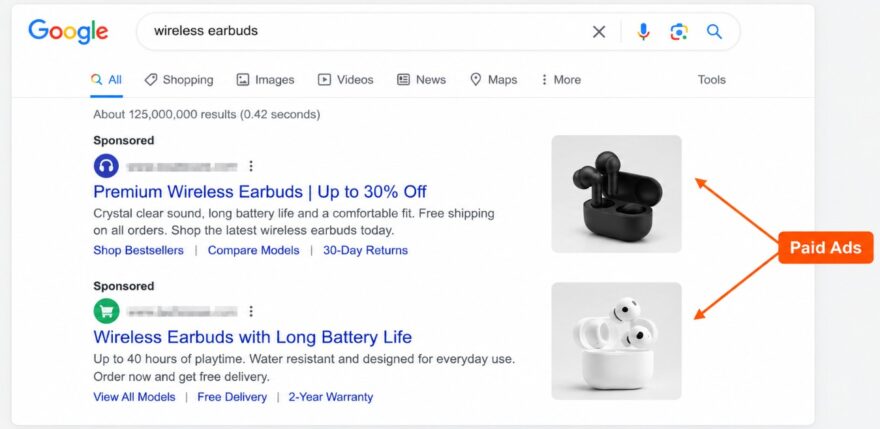
Begin with a limited advertising budget and measure completed purchases rather than clicks alone.
If an advertisement costs $8 per customer but a sale leaves only $6 before advertising, increasing the budget will increase the loss unless the economics change.
Useful product guides and genuine customer reviews can support sales without relying entirely on paid campaigns.
8. Test Your Store Before Accepting Orders
Place a test order using a phone and a computer. Confirm that checkout works, shipping charges appear correctly, and confirmation emails arrive.
Check inventory updates and test the refund process. Review the store on smaller screens because customers may encounter problems that are not visible on a desktop computer.
The FTC shipping rules for online retailers also deserve attention. US sellers need a reasonable basis for advertised shipping times and must follow the applicable requirements when orders are delayed.
9. How Much Money Do You Need to Start?
A small store can begin with a limited budget, but the amount depends on the products and business model.
Consider an illustrative $2,000 startup budget with $1,000 for inventory, $200 for website setup, $200 for packaging, $300 for marketing tests, and $300 held in reserve.
Business registration, taxes, insurance, and additional services may increase those expenses. Avoid using the entire budget to purchase inventory before confirming demand.
Frequently Asked Questions
Can I Start an Online Store Without Coding?
Yes. Shopify, Wix, and WooCommerce provide tools for creating stores without writing code. WooCommerce may require more technical maintenance because it runs on WordPress.
Do I Need a Warehouse?
No. A new retailer can initially store and ship smaller quantities of products from home, subject to applicable rules. Outside fulfillment becomes an option when inventory and order volume increase.
How Long Does It Take to Make the First Sale?
There is no fixed timeline. Product demand, pricing, search visibility, advertising, and customer trust influence when purchases begin.
Getting Your First Store Ready
Begin with a small selection of products, check their costs, and choose an ecommerce platform you can maintain. Set up payments, prepare shipping, and test the checkout before publishing the store.
Once customers begin placing orders, use their questions and purchasing behavior to improve product pages and decide which items deserve additional inventory. Expanding gradually gives you room to correct problems before they become expensive.
